Managing Monthly Household Expenses When You Pay Utility Bills Online
Choosing to pay utility bills online can make recurring household expenses easier to organise by bringing electricity, water, gas, broadband, mobile, and other eligible payments into a digital workflow. Some platforms may also provide promotional benefits such as a upi offer, but any offer should remain secondary to checking the bill amount, due date, payment source, and transaction details.
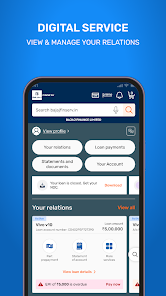
Digital payments can reduce the effort involved in visiting physical counters or managing several separate payment channels. However, convenience works best when users maintain accurate records and verify each bill before authorising payment.
Create A Monthly Utility Payment Routine
Household bills usually arrive on predictable cycles.
Users may need to manage:
- Electricity
- Water
- Gas
- Broadband
- Mobile services
- DTH
- Other recurring utilities
Creating a simple monthly schedule can make these payments easier to manage.
Instead of waiting for each due-date reminder, users can review upcoming obligations at the beginning of the month and estimate how much money should be reserved.
Verify The Consumer Account Before Paying
Before completing a transaction, users should confirm the bill is linked to the correct account.
Important details can include:
- Consumer number
- Customer name
- Service provider
- Billing period
- Amount due
This is particularly important when a user manages bills for several family members or multiple properties.
An incorrect account number can result in money being applied to the wrong bill.
Review The Amount Instead Of Assuming It Is Correct
Utility expenses can change from one billing cycle to another.
Changes may result from:
- Increased usage
- Previous unpaid amounts
- Tariff changes
- Adjustments
- Additional services
If the amount looks unusually high, users should review the original bill before paying.
Regular comparisons with previous months can also help identify unexpected changes in household spending.
Due Dates Should Be Part Of The Budget
Utility due dates can help structure monthly cash flow.
Users may choose to group expenses based on when they are normally payable.
For example:
- Early-month payments
- Mid-month payments
- End-of-month payments
This can help prevent several bills from being overlooked at the same time.
It can also reduce the need to make last-minute payments.
Select The Correct Payment Method
Digital platforms may support multiple payment methods.
Before confirming a bill, users should verify which source has been selected.
Using the wrong account can result in:
- Unexpected debits
- Insufficient balance
- Confusion during expense tracking
Users who separate household spending from savings may find this particularly important.
Transaction History Can Prevent Duplicate Payments
A major advantage of digital bill management is the ability to review past transactions.
Useful information may include:
- Payment date
- Biller
- Amount
- Transaction reference
- Payment status
This can help users confirm whether a bill has already been settled.
It is especially useful when several people in the same household manage payments.
Pending Payments Should Be Checked Before Retrying
A transaction may occasionally remain pending.
Before making another payment, users should review:
- App transaction status
- Linked bank account
- Biller information
- Transaction reference
A pending payment may later succeed or reverse.
Retrying too quickly can create duplicate charges and make reconciliation more difficult.
Failed Transactions Need Proper Follow-Up
If a payment fails after money has been debited, users should retain the transaction details.
These may include:
- Transaction ID
- Date
- Amount
- Service provider
- Current status
This information can help when contacting official support.
Users should avoid relying solely on memory when resolving payment issues.
Refunds And Reversals Should Be Monitored
A failed payment may result in a reversal depending on the transaction outcome.
Users should check whether the amount has returned to the original payment source.
If it has not, the transaction reference should be used when raising a support request.
Keeping clear records makes it easier to track the issue from payment to resolution.
Saved Billers Need Periodic Review
Saving customer or consumer details can make future payments quicker.
However, users should review stored billers from time to time.
Details may need to be updated when:
- Moving to a new home
- Changing service providers
- Closing an old account
- Managing a new household connection
Unused billers should be removed to reduce accidental payments.
Autopay Can Help But Still Needs Monitoring
Automatic payment instructions can reduce the chance of missed bills.
However, users should periodically review:
- Active mandates
- Expected payment amounts
- Linked payment accounts
- Services being charged
A cancelled service should not continue generating payments because an old instruction remains active.
Automation should reduce effort without making expenses invisible.
Payment Security Should Remain Consistent
Routine bills can feel familiar, but they still involve financial information.
Users should never share:
- OTPs
- UPI PINs
- Banking passwords
- Card PINs
These details should remain private even if someone claims that a payment or refund requires verification.
Official payment or service-provider support channels should be used when assistance is needed.
Be Cautious About Urgent Bill Messages
Users may receive messages stating that:
- A bill is overdue
- Service will be disconnected
- Verification is required
- A refund is pending
Instead of clicking an unfamiliar link, users should open the official payment platform or service-provider account directly.
Urgent language should not replace verification.
Promotions Should Not Change Payment Behaviour
Digital payment platforms may provide rewards or discounts for selected transactions.
These can be useful when a bill already needs to be paid.
However, users should not choose an unfamiliar payment method or make an unnecessary transaction simply to qualify for a reward.
The bill itself should remain the main reason for making the payment.
Review Utility Spending Over Time
Digital payment history can help users compare household expenses over several months.
Regular review may reveal:
- Increasing electricity costs
- Higher water usage
- Duplicate charges
- Unused services
- Changes in broadband or mobile expenses
This information can support better household budgeting.
Even small monthly increases can become significant over a year.
Keep Bill Payment Records Easy To Access
A bill payment record can help users verify that recurring household obligations have been completed and provide a reference if there is a later dispute.
Keeping digital receipts or transaction references organised can reduce uncertainty when a service provider does not immediately reflect the payment.
Conclusion
The ability to pay utility bills online can make recurring household payments more convenient and easier to organise.
Users should verify consumer details, bill amounts, due dates, payment sources, and transaction status before and after each payment. Pending or failed transactions should be reviewed before retrying, while refunds and saved billers should be monitored carefully.
A structured digital payment routine can help households maintain better records, reduce missed bills, and gain clearer visibility over recurring monthly expenses.